


The Telegram Trick That Could Save You From Losing Important Files Forever
A few years ago, one of my friends lost his phone.
At first, he wasn't too worried.
"Na phone only," he said.
Then reality hit.
Important documents? Gone.
Receipts? Gone.
Photos? Gone.
Work files? Gone.
Notes he had been saving for months? Gone.
Everything was stored only on that device.
That's when I realized something many people still do today:
A lot of us treat our phones like permanent storage.
But phones get stolen.
Phones get damaged.
Phones stop working.
And when that happens, you suddenly discover how much valuable information was living in one fragile device.
Recently, I came across a simple Telegram trick that can help you avoid this problem.
Most people think Telegram is just another messaging app.
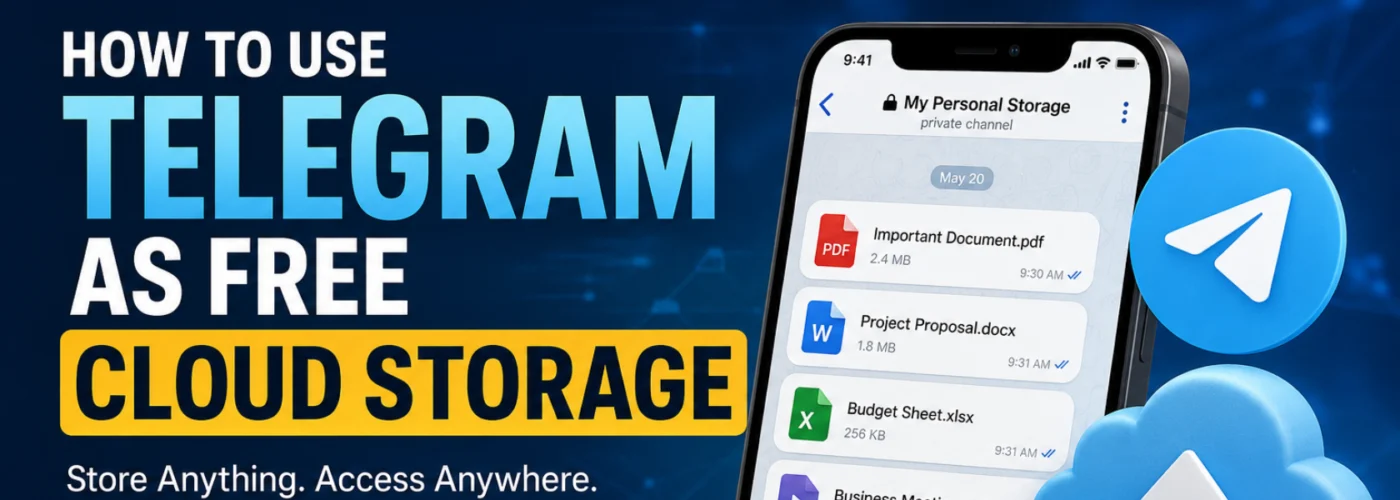
But it can also work as a personal cloud-based storage space for your files.
And the best part?
You can access those files from multiple devices whenever you need them.
How The Telegram Storage Trick Works
The idea is simple.
Instead of storing important files only on your phone, you create a private space inside Telegram and upload them there.
Think of it as your own personal digital archive.
Step 1: Install Telegram
Download Telegram on your:
- Android phone
- iPhone
- Tablet
- Laptop
- Desktop computer
Create an account and verify your phone number.
Once you're logged in, your Telegram account can be accessed across multiple devices.
Step 2: Create a Private Channel or Group
Create either:
- A Private Channel
- A Private Group
Give it a name that makes sense to you, such as:
- My Personal Storage
- Important Files
- Documents Backup
- Personal Cloud
- Phone Backup
Many people prefer a private channel because it works like a personal archive where you can keep uploading files whenever you need to.
Step 3: Keep It Private
If you create a group, remove every other member.
If you create a private channel, don't share the invite link.
The goal is to create a space that only you can access.
Step 4: Upload Your Files
This is where the magic happens.
You can upload almost anything you want to keep safe and accessible:
✅ PDF documents
✅ Word documents
✅ Photos
✅ Videos
✅ Audio files
✅ APK files
✅ Receipts
✅ Notes
✅ School documents
✅ Work files
✅ Important screenshots
✅ Personal records
You can even save text notes directly inside the channel.
So instead of forgetting ideas, passwords reminders, content ideas, business plans, or important information, you can store them there and find them later.
Step 5: Access Everything From Another Device
Imagine this scenario:
You lose your phone tomorrow.
You buy a new one.
What next?
Simply install Telegram, log into the same account, and your stored content becomes available again.
The same applies if:
- You buy a new laptop
- You switch phones
- You need a file urgently while away from home
- You need access from a tablet or another device
Your files are still there.
That's why many people now use Telegram as a personal file repository.
But Is Telegram Really "Unlimited" Cloud Storage?
This is where many people misunderstand things.
Telegram can function like a cloud storage system.
However, it is not exactly the same as dedicated storage services like Google Drive, Dropbox, OneDrive, or similar platforms.
Telegram stores your chats and media in the cloud, allowing you to access them across devices.
But there are still:
- File-size limits
- Service restrictions
- Platform policies that can change over time
So it's more accurate to see Telegram as a convenient cloud-based storage option, not necessarily a complete replacement for dedicated backup services.
Why Many People Love This Trick
1. Access Files Anywhere
Upload from your phone.
Download from your laptop.
Open from your tablet.
Everything stays connected to your account.
2. No Need To Carry Flash Drives Around
Many people still move around with USB drives full of important files.
Telegram can eliminate that stress for everyday documents.
3. Easy Search
Telegram's search feature makes finding old files surprisingly easy.
Instead of searching through folders, you can simply search keywords.
4. Helpful When Changing Phones
A new phone doesn't mean starting from scratch.
Just sign into Telegram and continue where you stopped.
5. Useful Beyond Documents
You can create separate private channels for different purposes:
📁 Documents
Store certificates, receipts, PDFs, contracts and official files.
📁 Photos
Keep important pictures accessible across devices.
📁 Videos
Store videos you may need later.
📁 Work
Save project files, resources and work documents.
📁 Blogging
Store article drafts, graphics, SEO research, screenshots and content ideas.
📁 Personal Notes
Save reminders, ideas and information you don't want to lose.
One Important Warning
Please don't make Telegram your ONLY backup.
This is where many people make mistakes.
For truly important files, experts recommend keeping multiple copies.
A safer setup might look like this:
- One copy on your computer
- One copy on an external hard drive
- One copy in a reputable cloud storage service
- One copy inside Telegram for convenience
This follows the popular 3-2-1 Backup Principle:
Keep multiple copies of important data and avoid depending entirely on one device or one service.
Also Be Careful With Sensitive Information
Before uploading anything online, think about security.
Avoid casually storing:
❌ Banking PINs
❌ Passwords
❌ Sensitive credentials
❌ Highly confidential information
And don't forget to secure your Telegram account.
Enable:
✅ Strong password protection
✅ Two-Step Verification
✅ Recovery options
The stronger your account security, the safer your files become.
How To Stay Organized
If you decide to use Telegram regularly for storage, don't dump everything into one channel.
Create categories.
For example:
📁 Documents
📁 Work
📁 Photos
📁 Videos
📁 Blog
📁 Personal Notes
Also, use clear captions when uploading files.
Trust me, future-you will appreciate it when searching for something six months later.
Final Thoughts
The biggest lesson here isn't really about Telegram.
It's about realizing that your phone should never be the only place where your important files live.
Telegram gives you a simple way to keep documents, photos, videos, notes and work files accessible across devices.
Lose your phone?
Log into Telegram.
Buy a new laptop?
Log into Telegram.
Need a document while traveling?
Open Telegram.
Simple.
Just remember:
Telegram is a convenience tool, not a complete backup strategy.
Use it wisely, stay organized, and always keep multiple copies of important files.
Community Question 👇
Be honest...
If your phone suddenly stopped working RIGHT NOW, how many important files, photos, videos, business documents, certificates, or notes would you lose forever?
And have you ever lost valuable files because of a stolen phone, damaged device, or accidental deletion?
Share your experience below. Someone reading your story today might avoid making the same mistake.

Nice post