


Let me share something I've been thinking about lately.
Imagine spending an entire weekend trying to fix something in your online business. You watch YouTube tutorials, pause every few minutes to follow the instructions, try different solutions, and even start wondering whether you're missing something obvious.
Hours pass. You're frustrated, tired, and still nowhere near solving the problem.
Then, out of frustration, you finally ask someone who has experience with that particular problem.
Five minutes into the conversation, they point out what you've been doing wrong all along.
Five minutes! After you've spent an entire weekend struggling with it. 😂
I'm sure many of us can relate to this, whether it happened with a website, a sales funnel, an advertising campaign, or something completely different.
And it raises an interesting question: Why do we sometimes find it easier to struggle alone for days than to ask someone who might already know the answer?
Is it because we want to save money? Do we believe we should be able to figure everything out ourselves? Or have we simply become so used to doing things alone that asking for help doesn't even cross our minds?
Whatever the reason, I think this habit can quietly slow down our progress, especially when we're building an online business.
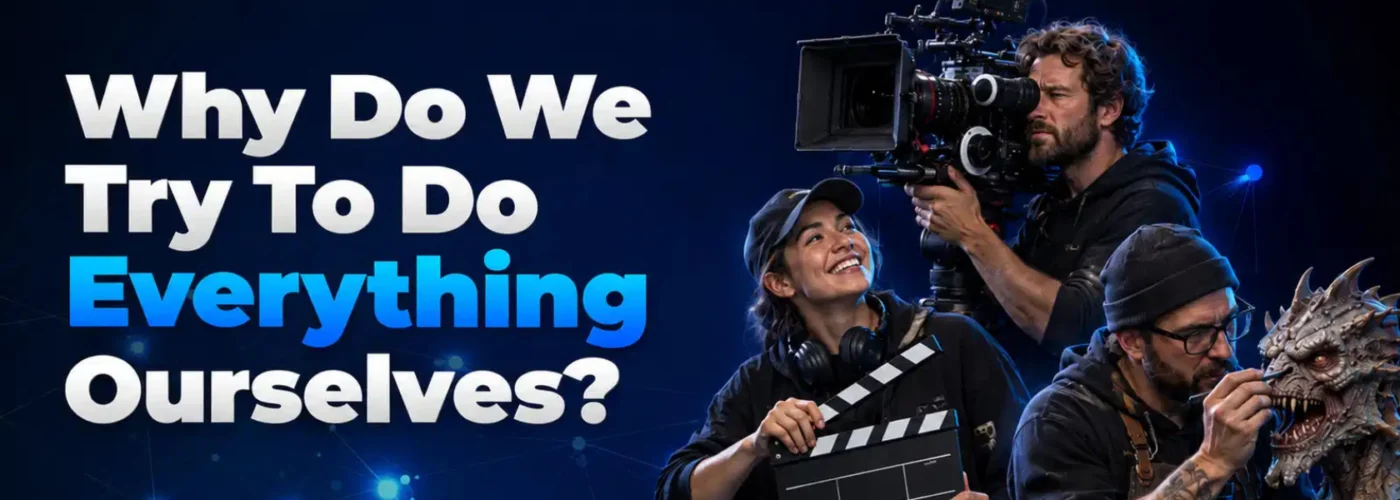
🎬 Even Nollywood Knows You Can't Do Everything Alone
Think about how a movie is made.
Behind those amazing special effects, there's a team of specialists. Some are brilliant at sculpting, others at electronics, painting, animatronics, and mould-making.
Nobody expects one person to master every skill. When a production needs something specific, they find someone who knows how to do it.
Makes sense, right?
But when it comes to building an online business, many of us suddenly behave as if we must become experts at everything! 😅
We need to understand copywriting, website design, sales funnels, email marketing, automation, product creation, social media, advertising, accounting, and so much more.
And whenever something goes wrong, we head straight to YouTube, buy another course, or spend hours experimenting until we figure it out.
There's nothing wrong with learning new skills. The problem is assuming that every challenge must be solved through our own trial and error, even when someone else already knows the answer.
😩 When Learning Everything Becomes a Trap
Imagine you've created a digital product, but you're struggling to make sales.
You decide to learn Facebook advertising. You watch tutorials, test different audiences, and experiment with your campaigns.
Weeks pass, but the results don't improve.
Next, you redesign your website, rewrite your sales page, and try another funnel.
Still nothing.
But what if the problem isn't your advertising or website?
What if people simply don't understand your offer well enough to see why they should buy it?
Someone experienced in creating and selling offers might spot the problem after a short conversation. They could help you identify what's confusing potential customers and suggest something to test before you spend more money on advertising.
Of course, your offer might be perfectly fine, and the real problem could be that you're not reaching the right audience.
That's the point: if you don't understand the actual problem, you might spend months fixing things that aren't broken.
Sometimes, you don't need another course. You need someone who can help you see what you're missing.
🤝 Asking for Help Doesn't Mean You're Incompetent
Getting help doesn't necessarily mean hiring an expensive mentor or joining another costly programme.
Sometimes, a conversation with an experienced business owner, a knowledgeable community member, or a specialist is all you need.
For example:
- Struggling with your sales message? Talk to someone experienced in copywriting and offer creation.
- Having technical problems? Ask someone who understands the technology.
- Unsure whether people want your product? Talk to potential customers before investing more money in software or advertising.
- Confused about taxes or business accounts? Speak to a qualified professional.
Of course, be selective about whose advice you follow. Someone who's excellent at marketing isn't automatically an expert in accounting, technology, or every other aspect of business.
Look for relevant experience, not just confidence.
⏳ Your Time Is Valuable Too
Suppose you spend 40 hours struggling with a technical problem that an experienced specialist could solve in two hours.
Those 40 hours could have gone into creating content, talking to customers, improving your product, or finding new opportunities.
Of course, if you're just starting out with limited money, learning to do things yourself may be necessary. And some skills are worth mastering because you'll use them repeatedly.
But here's a question worth asking yourself:
Am I learning this because it's important for my business, or because I haven't considered asking for help?
There's a difference between being resourceful and refusing help just to prove you can do everything yourself.
🧠 Perhaps Knowing When to Ask Is a Skill of Its Own
There's a lot to be said for solving problems yourself. You gain experience, confidence, and knowledge that can serve you for years.
But there's no special award waiting for you because you insisted on figuring out everything alone. Lol. 😂
Building a successful business requires effort, learning, good decisions, and sometimes collaboration.
You don't need to know everything. You need to recognise what you know, understand where you're struggling, and know when to bring in someone with the right expertise.
That's how complicated film productions come together. Different people contribute different skills toward one common goal.
So why should building an online business be any different?
Maybe your next breakthrough won't come from watching another 20 YouTube tutorials. Maybe it will come from asking one good question to the right person.
🔥 LET'S TALK!
What's one thing you've spent days or weeks trying to figure out yourself, only to discover later that someone else could have helped you solve it? 😂
If you're currently stuck on something in your business, share it below. Someone in this community might have faced the same challenge and could point you in the right direction.
And which type of person are you?
A. I prefer learning everything myself. I like knowing how things work.
B. If someone can do it better and faster, I'd rather ask for help.
C. I learn the basics myself but bring in experts when necessary.
D. I'd ask for help, but sometimes I don't even know who to ask! 😂
Drop A, B, C, or D in the comments and tell us why.
Your experience might save another member weeks of unnecessary struggle! 👇

Every week is an opportunity to learn something new, discover a better strategy, or take one step closer to your online business goals. 💡
Whether you're just starting out or already making progress, your experience could help someone else in the Skylse community.
👇 Let's learn from each other!
Share one thing you've learned this week about making money online. It could be:
✅ A new strategy you've discovered
✅ A tool that makes your work easier
✅ A mistake that taught you a valuable lesson
✅ Something you've learned about affiliate marketing, YouTube, e-commerce, or another online business
✅ A challenge you're still trying to overcome
Remember, you don't need to be making money yet to have something valuable to share. Sometimes, the most important lessons come before the first sale!
💬 Your turn: What's one thing you've learned about making money online this week?
Drop your answer in the comments. Someone here might benefit from your experience!

My people, have you noticed the new DStv branding making the rounds recently?
DStv is introducing something called DStv Expect+, and from the look of things, this is more than just changing a logo or giving the brand a fresh appearance.
The company is making major changes to how its subscription packages are arranged, including new options for sports lovers, movie fans, and families.
But let’s be honest for a moment…
When it comes to DStv, what most subscribers really want to know is simple:
“Am I getting more value for my money, or is this another change we will eventually pay for?” 😂
With the cost of living putting pressure on everybody's pocket, nobody wants to spend money on a subscription without understanding what they are paying for.
So, let’s break down what DStv Expect+ means, the new packages, what happens to the old ones, and what Nigerian subscribers should know.
🤔 What Exactly Is DStv Expect+?
DStv Expect+ is the new branding and content strategy introduced alongside a major restructuring of DStv's subscription packages.
The new package line-up officially launched in South Africa on 17 September 2026, with DStv describing it as its biggest package update in 15 years.
The idea is to give subscribers more choice, more content, more sports options, and packages that better match their viewing interests.
Instead of everyone having to choose from the traditional package structure, DStv is moving towards options designed around what people actually want to watch.
For example:
- If you mainly watch football and other sports, there is a dedicated Sports package.
- If you prefer movies and TV series, there is a Movies & Series package.
- If you want a broader family entertainment package, there is Select.
- If you want the most comprehensive combination of content, Premium remains available.
In simple terms, DStv wants subscribers to have more options when deciding what to pay for.
But whether this will deliver better value for every customer is another question entirely.
📦 Meet the New DStv Packages
Here is a breakdown of the packages introduced under the new South African line-up.
1. DStv Starter
This is the entry-level package for people who want access to a selection of entertainment and sports without going for a higher package.
According to DStv, Starter offers more than 85 channels.
Some of the channels and content highlighted include:
- Wethu+
- SuperSport KICKOFF
- kykNET & Kie
- Moja Love
- VIA
- Star Life
- Discovery Family
- Curiosity
The package also includes selected football coverage.
It is designed for viewers who want a range of entertainment options without necessarily needing a premium subscription.
2. DStv Select
Select replaces the former Family package in the new South African structure.
It offers more than 100 channels, with a mixture of family entertainment, documentaries, news, and sports.
Some of the content highlighted includes Mzansi Magic, Discovery ID, History, CNN, and access to every PSL game on the SuperSport PSL channel.
This package is aimed at households that want a mixture of entertainment and sports rather than concentrating on just one category.
3. DStv Sports
Now, this is one of the most interesting changes!
DStv is introducing a dedicated package for sports lovers.
According to the company, the Sports package includes 17 sports channels covering content such as:
- Football
- Cricket
- Rugby
- UFC
- WWE
Major football competitions, including the Premier League and UEFA Champions League, are among the sports content highlighted in the new offering.
The idea is to give sports fans a package built around their interests instead of making them choose a broader entertainment package simply to access sporting events.
For someone who switches on DStv mainly to watch football, this could be an important change.
However, the actual competitions and channels available depend on the applicable package and market.
4. DStv Movies & Series
Not everybody is interested in football.
Some people just want to relax after work, watch a good movie, follow their favourite series, or enjoy entertainment with their family.
The Movies & Series package is designed for those viewers.
Rather than paying for a package mainly because of its sports content, subscribers who prefer entertainment can consider an option focused on movies and television series.
5. DStv Premium
Premium remains at the top of the new package line-up.
It continues to offer DStv's broadest combination of entertainment and sports, including exclusive premium sports content.
So, despite the restructuring, Premium has not simply disappeared.
It remains the option for viewers who want the most comprehensive content offering.
🔄 What Happened to the Old DStv Packages?
If you have been using DStv for years, you are probably familiar with names such as Access, Family, Compact, Compact Plus, and Premium.
The new South African structure changes some of those familiar names and package arrangements.
Here is the breakdown:
- DStv Access: Becomes DStv Starter.
- DStv Family: Becomes DStv Select.
- DStv Compact: Is repositioned as the dedicated DStv Sports package.
- DStv Compact Plus: Existing subscribers can continue enjoying the package, but it is no longer available to new customers under the announced structure.
- DStv Premium: Remains the top-tier package.
If you are currently on Compact Plus, there is no need to assume that your subscription has suddenly disappeared.
DStv says existing Compact Plus customers can continue with the package under the applicable arrangements.
The important thing is to confirm how any transition applies to your account and country.
📺 Will Subscribers Lose Their Favourite Channels?
This is another question many people will naturally ask.
Whenever a pay-TV company changes its packages, subscribers want to know whether their favourite channels will remain available.
According to DStv, the intention is to offer more content through the revised line-up, rather than simply remove channels.
The company says Starter gains 10 channels, Select gains 10 channels, and Sports gains four channels compared with the corresponding previous packages.
DStv is also bringing some channels together under broader destinations.
For example, Mzansi Wethu, Mzansi Bioskop, and Mzansi Music are being brought together under Wethu+.
However, having more channels does not automatically mean every subscriber will be happier.
What matters is whether those additional channels contain programmes people actually watch.
After all, what is the point of having 100 channels if the three programmes you enjoy are not available on your package? 😂
⚽ What Does Expect+ Mean for Football Fans?
Sports has always been one of DStv's major attractions, especially for football lovers.
For many subscribers, following the Premier League, Champions League, and other major competitions is the main reason they maintain their subscriptions.
The dedicated Sports package represents a shift from the traditional approach of bundling sports closely with broader entertainment offerings.
DStv says the package brings together 17 sports channels covering different sporting interests.
In principle, this gives sports-focused viewers another option when choosing a subscription.
But here is something worth considering:
Will a dedicated sports package make it easier for football fans to choose a suitable subscription, or will the price and availability of particular competitions determine whether it is genuinely worthwhile?
That is the real issue subscribers should pay attention to.
🎨 Why Has DStv Changed Its Branding?
You may have noticed that DStv's familiar blue-heavy appearance is being replaced by a refreshed visual identity featuring black and white branding and prominent plus signs.
This new look accompanies the Expect+ campaign and the company's wider change in direction following Canal+'s acquisition of MultiChoice.
But for the average subscriber, the logo is not the most important part of this development.
What matters more is:
- Which channels are available?
- Which package gives you the content you want?
- How much will the subscription cost?
- Will your current package change?
- Are you getting better value for your money?
A new logo may make a company look different, but subscribers ultimately judge the service by what they receive.
🇳🇬 What Should Nigerian DStv Subscribers Know?
This is probably the most important section for those of us in Nigeria.
Please do not automatically assume that the new South African package names, prices, and channel line-ups apply to Nigerian subscribers.
DStv operates different package structures and pricing arrangements across its African markets.
The announced South African changes do not automatically mean that Nigerian subscribers will immediately receive the same packages or pay the same prices.
DStv has indicated that other markets in Africa will be addressed separately.
So, if you see a screenshot on WhatsApp claiming that DStv Nigeria has introduced all these packages at particular prices, take a moment to verify the information before sharing it.
For Nigeria, check DStv Nigeria's official announcements and package information for the applicable prices, channel line-ups, and transition arrangements.
For existing customers, it is also worth checking whether any change applies to their specific subscription before making decisions about renewing or switching packages.
💰 Why This Change Matters to Nigerian Viewers
Let's look at the bigger picture.
Entertainment subscriptions are competing for the same money that people need for food, transportation, electricity, internet data, school fees, and other expenses.
Streaming platforms are also giving viewers alternative ways to watch movies, series, and other content.
That means traditional pay-TV providers need to give customers a convincing reason to keep paying for their services.
DStv's new approach appears to recognise that different viewers have different priorities.
Some want football.
Others want movies and series.
Some households want a broader selection of family entertainment.
And some subscribers want practically everything available.
Offering packages built around these different interests could make choosing a subscription easier.
But the big question remains whether the available content and pricing will make sense for individual subscribers.
More choice is good, but affordable choice is even better.
❓ Frequently Asked Questions About DStv Expect+
1. Is DStv Expect+ a new decoder?
No. Expect+ is the new branding and content strategy introduced alongside the revised subscription packages. It is not a new decoder.
2. What happened to DStv Compact?
Under the new South African structure, Compact has been repositioned as the dedicated Sports package.
3. What happened to DStv Family?
Family becomes Select under the new South African package structure.
4. What happened to DStv Access?
Access becomes Starter under the new South African package structure.
5. Can existing Compact Plus subscribers continue using their package?
According to DStv, existing Compact Plus customers can continue enjoying the package, although it is no longer available to new customers under the new structure.
6. Does DStv Expect+ mean cheaper subscriptions?
Not necessarily. The change is primarily about package restructuring and content options. Prices and available packages vary by market.
7. Do Nigerian subscribers need to change their subscriptions immediately?
Do not assume that the South African changes automatically apply to Nigeria. Check DStv Nigeria's official information for any applicable changes before taking action.
🗣️ Final Thoughts: Is DStv Finally Listening to Subscribers?
DStv Expect+ is more than a branding exercise. It represents a significant attempt to change how customers choose their television packages.
The dedicated Sports package, Movies & Series option, and revised package structure could give viewers more flexibility.
However, the real test will be whether subscribers feel that the content they want is available at a price they can comfortably afford.
And for Nigerian viewers, we still need to pay attention to the official local package details rather than assuming that every announcement from South Africa applies here.
Now, let's hear from the community!
👇 I want everybody to join this discussion.
- If you could choose, which DStv package would you prefer: Sports, Movies & Series, a family package, or Premium?
- Do you think separating sports from general entertainment is a good idea?
- If DStv gives you more channels but the subscription is still expensive, would you consider that an improvement?
- For those in Nigeria, what would make you continue paying for DStv instead of switching to a cheaper alternative?
Drop your honest opinion in the comments. No need to defend DStv or attack them unnecessarily. Let's discuss what actually gives subscribers value for their money! 👇


Hey everyone! I just hit my first 100 subscribers and I’m so excited! 🎉 It feels like such a huge accomplishment, and I wanted to share my journey so far. Here’s what helped me get there:
✅ Consistency – I made sure to upload at least once a week. No matter how busy life got, I stayed on track.
✅ Optimized Thumbnails – I started using more eye-catching thumbnails that grab attention.
✅ Engagement – I made an effort to respond to comments on my videos and engage with my audience.
My next goal is to hit 250 subscribers, and I’m ready to push harder! 🚀
Who else is celebrating a milestone? Whether it’s your first subscriber or your latest video hitting 1,000 views, share your wins with us! We’re all in this together! 🎯


Hey Skylse fam 👋
I just want to share with you guys one tool that has saved me hours and made content creation smoother than ever - it’s called CapCut. 🎬
It’s a free video editing app that works on both mobile and desktop.
Whether you're editing YouTube Shorts, TikToks, or Instagram Reels, CapCut gives you:
✅ Built-in transitions and effects
✅ Easy-to-use text animations
✅ Trending templates for quick edits
✅ Auto-captions (perfect for silent scroll viewers)
✅ AI background remover and more!
If you're trying to grow on video platforms but editing stresses you out — this might be your game-changer.
💬 What do you currently use to edit your videos - or are you avoiding it altogether? 😅 Drop your favorite tools or questions below!

A friend called me recently with a familiar problem.
"Bro, I need money urgently. Not next week. Not tomorrow. Today."
He had already checked with family members. His salary was still days away. Traditional bank processes were too slow.
So he did what many Nigerians do these days...
He opened his phone and started searching for a loan app.
But then another problem appeared.
There are now hundreds of loan apps in Nigeria. Some are legitimate. Some have terrible reviews. Some advertise "instant loans" but hit users with shocking repayment terms later. Others are actually helpful if used correctly.
So the real question isn't:
"Which loan app gives money fastest?"
The better question is:
"Which loan app can you use without creating a bigger financial problem for yourself later?"
Here are some of the most popular and widely used loan apps Nigerians are using in 2026.
1. FairMoney
FairMoney remains one of the biggest names in Nigeria's digital lending space.
Many people like it because the application process is completely online and you can apply directly from your smartphone without visiting any physical office.
According to recent reports, eligible borrowers may qualify for larger loan amounts as they build a repayment history with the platform. The company has also expanded beyond lending into other financial services.
Good for:
✅ Personal loans
✅ Larger loan amounts for qualified users
✅ People who prefer a fully digital experience
2. Renmoney
If you hate extremely short repayment deadlines, Renmoney is one option many borrowers consider.
One reason people choose Renmoney is its relatively flexible repayment structure compared to many short-term lending apps.
Reports indicate loan amounts can range from a few thousand naira up to much higher amounts depending on eligibility and borrower profile.
Good for:
✅ Salary earners
✅ Personal loans
✅ Longer repayment periods
3. Carbon
Carbon has evolved into much more than just a loan app.
Apart from borrowing, users can access other financial services from the same platform.
Many Nigerians like Carbon because everything is integrated into one app, making it easy to manage finances in one place.
Good for:
✅ Personal finance management
✅ Digital loans
✅ Users who want multiple financial tools in one app
4. Branch
Branch has been around for years and remains one of the popular loan apps Nigerians recognize.
The app evaluates users based on information provided during registration and determines available loan offers accordingly.
The biggest attraction?
Convenience.
You can apply from anywhere without entering a bank branch.
Good for:
✅ Quick applications
✅ Mobile-first users
✅ Smaller personal loans
5. Palmcredit
Palmcredit is another well-known option, especially among people looking for short-term emergency funds.
The amount available usually depends on your profile, repayment history, and eligibility.
Like every short-term loan, it works best when you already know exactly how you'll repay it.
Good for:
✅ Emergency expenses
✅ Short-term borrowing
✅ Fast mobile applications
6. EaseMoni
EaseMoni has become one of the highest-rated loan apps in Nigeria.
Recent industry rankings placed it among the top-performing loan apps based on user ratings and download numbers. It has gained significant popularity among borrowers looking for quick access to credit.
Good for:
✅ Quick loans
✅ Mobile lending
✅ Borrowers looking for a popular platform
7. Newcredit
Newcredit is another digital lending platform serving Nigerian borrowers.
Applications are handled through the mobile app, and loan decisions are based on the information provided during the application process.
Many users consider it for smaller personal borrowing needs.
Good for:
✅ Small personal loans
✅ Fast applications
✅ Mobile-based borrowing
Before You Borrow Any Money, Read This
This part is more important than the list above.
Too many people focus on:
❌ "How fast can I get the money?"
And completely ignore:
✅ How much will I repay?
✅ What are the fees?
✅ What happens if I miss the deadline?
✅ Is the lender properly licensed?
Financial experts consistently warn that speed should never be the only reason for choosing a loan app. Always check the total repayment amount before accepting any offer.
How To Avoid Fake or Problematic Loan Apps
Before installing any loan app:
✔ Read recent user reviews
✔ Check interest rates and repayment terms
✔ Confirm the lender is licensed or approved by the appropriate Nigerian regulators
✔ Never borrow more than you can comfortably repay
✔ Avoid apps with a history of harassment complaints
Nigeria's regulators have increased oversight of digital lenders, and borrowers are encouraged to stick with properly registered platforms.
My Biggest Question For This Community...
Be honest...
Have you ever used a loan app in Nigeria?
- Which one did you use?
- How much did you borrow?
- Did the experience help you or regret it later?
- Which loan app would you NEVER recommend to someone else?
No sugarcoating.
No hiding names.
Your experience could save another member from making an expensive mistake. 👇🔥
Let's hear the real stories in the comments.


If your channel feels stuck, it might not be the algorithm - it might be one of these mistakes 👇
❌ Mistake 1: Uploading without a niche
Trying to be for “everyone” means you’re for no one. Stick to a theme and go deep.
❌ Mistake 2: Focusing only on views, not watch time
Views are cool, but YouTube cares way more about how long people stay on your videos.
❌ Mistake 3: Not having clear titles and thumbnails
People scroll FAST. If your video isn’t clear and clickable, it gets skipped.
🧠 What’s one mistake you’ve made on your channel that taught you a valuable lesson?
Let’s share and grow together. 👇

I’ve been noticing something lately, and the more I pay attention to it, the more I see it everywhere.
A lot of people in their late 20s, 30s, and even early 40s seem... lonely.
Not necessarily depressed.
Not necessarily unhappy.
Just disconnected.
And honestly, I’m curious if others are seeing the same thing.
When we were younger, friendships happened almost automatically.
School.
University.
Neighborhood friends.
Football with the guys.
Random hangouts that required zero planning.
But somewhere along the way, things changed.
People got busy.
Relationships became complicated.
Responsibilities multiplied.
And suddenly, maintaining friendships started feeling like a full-time job.
I was talking to someone recently who mentioned that they don't have a single friend they meet regularly anymore.
Not one.
There was one close friend they used to see multiple times every week.
Then the friend got married.
Had a child.
And despite promising that "nothing would change," everything changed.
Now they mostly talk online.
The last time they saw each other in person was over six months ago.
What used to be spontaneous became scheduled.
And what used to be frequent became rare.
Maybe you've experienced something similar.
You still have friends.
You still chat occasionally.
You still like each other's posts.
But most of those friendships now exist almost entirely through screens.
Messages.
Voice notes.
Memes.
Comments.
The friendship technically exists.
But it's not the same as sharing experiences together.
It's not the same as calling someone on Friday evening and saying:
"Let's go out."
It's not the same as having people who are available when you are.
Another thing I've noticed is that many people seem to have lost the initiative to connect.
If someone organizes something, they'll happily attend.
But very few people actually organize anything themselves.
It's almost like everyone is waiting for someone else to make the first move.
After a while, that becomes exhausting.
You start wondering:
"If I stopped reaching out completely, would anyone notice?"
And because of that feeling, many people stop trying as hard.
Not out of anger.
Out of fatigue.
I've also seen this happen with couples.
Many young adults today seem trapped in a simple cycle:
Work.
Home.
Partner.
Sleep.
Repeat.
Week after week.
Month after month.
Their social life shrinks until it barely exists.
Ironically, some of the busiest social calendars belong to people much older than us.
Think about it.
How many of your parents, uncles, or older relatives seem to have richer social lives than people half their age?
Many of them still have community groups.
Church friends.
Neighborhood gatherings.
Family events.
Weekend meetups.
People they can call without scheduling three weeks in advance.
Meanwhile, younger adults are more connected digitally than any generation in history...
Yet many feel more isolated than ever.
One thing I've personally observed is that it's much easier to meet like-minded people when you're traveling, attending events, joining masterminds, learning new skills, or working with coaches.
You instantly connect with people who share similar interests and goals.
The challenge?
Most of those relationships become virtual once everyone returns home.
The connection feels strong while you're together.
Then distance slowly takes over.
And before long, the friendship becomes another profile picture in your contact list.
Maybe that's just modern life.
Or maybe we're missing something important.
So I'd love to hear from this community:
- Do you feel like making and maintaining friendships has become harder as you've gotten older?
- How many close friends do you actually see regularly?
- Have social media and technology made us more connected or more isolated?
- Why do you think older generations often seem to have stronger social circles?
- What's one thing you've done that helped you build genuine friendships as an adult?
Let's have an honest conversation.
I have a feeling a lot more people are experiencing this than they're willing to admit.


A few years ago, one of my friends lost his phone.
At first, he wasn't too worried.
"Na phone only," he said.
Then reality hit.
Important documents? Gone.
Receipts? Gone.
Photos? Gone.
Work files? Gone.
Notes he had been saving for months? Gone.
Everything was stored only on that device.
That's when I realized something many people still do today:
A lot of us treat our phones like permanent storage.
But phones get stolen.
Phones get damaged.
Phones stop working.
And when that happens, you suddenly discover how much valuable information was living in one fragile device.
Recently, I came across a simple Telegram trick that can help you avoid this problem.
Most people think Telegram is just another messaging app.
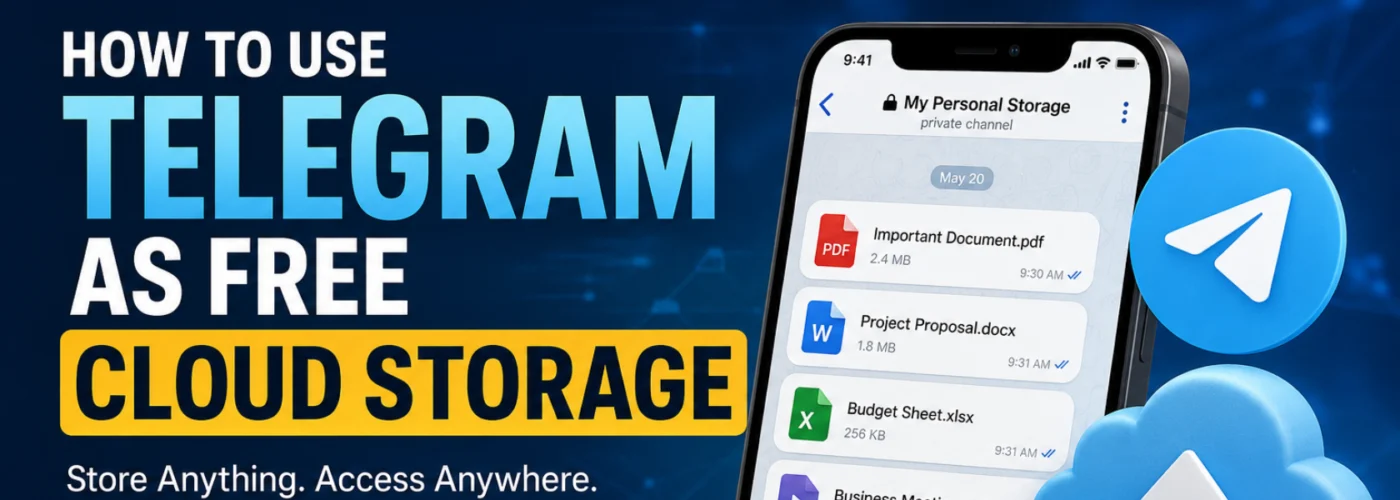
But it can also work as a personal cloud-based storage space for your files.
And the best part?
You can access those files from multiple devices whenever you need them.
How The Telegram Storage Trick Works
The idea is simple.
Instead of storing important files only on your phone, you create a private space inside Telegram and upload them there.
Think of it as your own personal digital archive.
Step 1: Install Telegram
Download Telegram on your:
- Android phone
- iPhone
- Tablet
- Laptop
- Desktop computer
Create an account and verify your phone number.
Once you're logged in, your Telegram account can be accessed across multiple devices.
Step 2: Create a Private Channel or Group
Create either:
- A Private Channel
- A Private Group
Give it a name that makes sense to you, such as:
- My Personal Storage
- Important Files
- Documents Backup
- Personal Cloud
- Phone Backup
Many people prefer a private channel because it works like a personal archive where you can keep uploading files whenever you need to.
Step 3: Keep It Private
If you create a group, remove every other member.
If you create a private channel, don't share the invite link.
The goal is to create a space that only you can access.
Step 4: Upload Your Files
This is where the magic happens.
You can upload almost anything you want to keep safe and accessible:
✅ PDF documents
✅ Word documents
✅ Photos
✅ Videos
✅ Audio files
✅ APK files
✅ Receipts
✅ Notes
✅ School documents
✅ Work files
✅ Important screenshots
✅ Personal records
You can even save text notes directly inside the channel.
So instead of forgetting ideas, passwords reminders, content ideas, business plans, or important information, you can store them there and find them later.
Step 5: Access Everything From Another Device
Imagine this scenario:
You lose your phone tomorrow.
You buy a new one.
What next?
Simply install Telegram, log into the same account, and your stored content becomes available again.
The same applies if:
- You buy a new laptop
- You switch phones
- You need a file urgently while away from home
- You need access from a tablet or another device
Your files are still there.
That's why many people now use Telegram as a personal file repository.
But Is Telegram Really "Unlimited" Cloud Storage?
This is where many people misunderstand things.
Telegram can function like a cloud storage system.
However, it is not exactly the same as dedicated storage services like Google Drive, Dropbox, OneDrive, or similar platforms.
Telegram stores your chats and media in the cloud, allowing you to access them across devices.
But there are still:
- File-size limits
- Service restrictions
- Platform policies that can change over time
So it's more accurate to see Telegram as a convenient cloud-based storage option, not necessarily a complete replacement for dedicated backup services.
Why Many People Love This Trick
1. Access Files Anywhere
Upload from your phone.
Download from your laptop.
Open from your tablet.
Everything stays connected to your account.
2. No Need To Carry Flash Drives Around
Many people still move around with USB drives full of important files.
Telegram can eliminate that stress for everyday documents.
3. Easy Search
Telegram's search feature makes finding old files surprisingly easy.
Instead of searching through folders, you can simply search keywords.
4. Helpful When Changing Phones
A new phone doesn't mean starting from scratch.
Just sign into Telegram and continue where you stopped.
5. Useful Beyond Documents
You can create separate private channels for different purposes:
📁 Documents
Store certificates, receipts, PDFs, contracts and official files.
📁 Photos
Keep important pictures accessible across devices.
📁 Videos
Store videos you may need later.
📁 Work
Save project files, resources and work documents.
📁 Blogging
Store article drafts, graphics, SEO research, screenshots and content ideas.
📁 Personal Notes
Save reminders, ideas and information you don't want to lose.
One Important Warning
Please don't make Telegram your ONLY backup.
This is where many people make mistakes.
For truly important files, experts recommend keeping multiple copies.
A safer setup might look like this:
- One copy on your computer
- One copy on an external hard drive
- One copy in a reputable cloud storage service
- One copy inside Telegram for convenience
This follows the popular 3-2-1 Backup Principle:
Keep multiple copies of important data and avoid depending entirely on one device or one service.
Also Be Careful With Sensitive Information
Before uploading anything online, think about security.
Avoid casually storing:
❌ Banking PINs
❌ Passwords
❌ Sensitive credentials
❌ Highly confidential information
And don't forget to secure your Telegram account.
Enable:
✅ Strong password protection
✅ Two-Step Verification
✅ Recovery options
The stronger your account security, the safer your files become.
How To Stay Organized
If you decide to use Telegram regularly for storage, don't dump everything into one channel.
Create categories.
For example:
📁 Documents
📁 Work
📁 Photos
📁 Videos
📁 Blog
📁 Personal Notes
Also, use clear captions when uploading files.
Trust me, future-you will appreciate it when searching for something six months later.
Final Thoughts
The biggest lesson here isn't really about Telegram.
It's about realizing that your phone should never be the only place where your important files live.
Telegram gives you a simple way to keep documents, photos, videos, notes and work files accessible across devices.
Lose your phone?
Log into Telegram.
Buy a new laptop?
Log into Telegram.
Need a document while traveling?
Open Telegram.
Simple.
Just remember:
Telegram is a convenience tool, not a complete backup strategy.
Use it wisely, stay organized, and always keep multiple copies of important files.
Community Question 👇
Be honest...
If your phone suddenly stopped working RIGHT NOW, how many important files, photos, videos, business documents, certificates, or notes would you lose forever?
And have you ever lost valuable files because of a stolen phone, damaged device, or accidental deletion?
Share your experience below. Someone reading your story today might avoid making the same mistake.

Imagine this…
You spend money running adverts for your business. People click your link, check out your product, and one customer is ready to pay ₦100,000.
But just when the customer is about to complete the payment, the transaction fails. Another customer gets confused by your payment instructions. Someone else sends money but you have to start asking for screenshots and checking your bank account manually.
Before you know it, you’ve lost sales you worked hard to get. 😩
This is one reason why choosing the right payment gateway is important for anybody running an online business in Nigeria.
Whether you sell physical products, online courses, e-books, digital products, offer services, run an e-commerce store, or collect payments through WhatsApp and Instagram, you need a reliable way to receive money.
But here is the question: Which payment gateway is actually best for Nigerian businesses in 2026?
Should you go with Paystack, Flutterwave, Monnify, Moniepoint, or Interswitch?
Let’s break them down so you can decide which one makes sense for your business.
🥇 1. Paystack - Best Overall for Most Businesses
If you run an online business in Nigeria, Paystack is one of the first payment gateways worth considering.
It is suitable for startups, online stores, bloggers, freelancers, schools, service providers, SaaS businesses, and digital entrepreneurs.
One of its biggest advantages is that it makes collecting payments relatively straightforward.
You can integrate it into your website, create payment links, accept supported payment methods, and automate parts of your payment confirmation process.
What makes Paystack attractive?
✅ Supports local and eligible international payments.
✅ Provides payment links for collecting money without necessarily building a website checkout from scratch.
✅ Offers website integration options, plugins, and developer APIs.
✅ Supports multiple payment channels.
✅ Provides transaction reporting and reconciliation tools.
✅ Offers automatic settlement, with local transactions generally settled on the next working day according to its published terms.
What about the fees?
Paystack's local transaction fee is 1.5% + ₦100, with the ₦100 fee waived for transactions below ₦2,500. Local fees are capped at ₦2,000 under the stated pricing.
International card transactions are listed at 3.9% + ₦100 for Mastercard, Visa, and Verve, with different terms potentially applying to other card types.
Always confirm the latest pricing directly with Paystack before signing up.
Who should consider Paystack?
If you sell online courses, e-books, digital products, physical goods, or services, Paystack is a strong starting point.
For example, somebody selling a ₦15,000 online course could use a payment link or integrate checkout into their website instead of manually confirming every transfer.
My take: If you want a straightforward payment gateway for a typical Nigerian online business, put Paystack on your shortlist.
🌍 2. Flutterwave - Best for Businesses with International Customers
Now, imagine you sell an online course in Nigeria, but you also have customers in Ghana, Kenya, the UK, the US, and other countries.
You need a payment provider that can support more than just the usual local payment methods.
That is where Flutterwave becomes interesting.
Flutterwave supports different payment methods across the markets it serves, including cards, bank transfers, bank accounts, USSD, QR codes, and mobile money where available.
It also provides payment links and integration tools for businesses that want to collect payments online.
What makes Flutterwave attractive?
✅ Designed to support payments across multiple markets.
✅ Supports numerous currencies, subject to the relevant market and account eligibility.
✅ Provides payment links and online checkout tools.
✅ Offers developer APIs and integration options.
✅ Suitable for businesses expanding beyond Nigeria.
What about the fees?
Flutterwave's Nigerian pricing is 2% for local transactions and 4.8% for international transactions.
Your actual costs may depend on the payment method, market, and applicable terms, so verify the current fees before making a decision.
Who should consider Flutterwave?
Businesses selling to international customers, online merchants, travel companies, and digital entrepreneurs looking to expand across African markets should consider it.
My take: If receiving payments from customers outside Nigeria is important to your business, Flutterwave deserves serious consideration.
🏦 3. Monnify - Best for Bank Transfers and Virtual Accounts
Let's talk about something Nigerian business owners understand very well: bank transfers.
Many customers prefer transferring money from their banking apps instead of paying with cards.
If your business receives plenty of transfers, Monnify is worth checking out.
Monnify provides payment collection options that include bank transfers, virtual accounts, cards, USSD, payment links, invoices, and recurring payments.
It also offers tools that can help businesses reconcile transactions without manually matching every payment to an order.
What makes Monnify attractive?
✅ Strong bank-transfer infrastructure.
✅ Virtual accounts for collecting customer payments.
✅ Payment links and invoices.
✅ Recurring payment options.
✅ Automated reconciliation tools.
✅ Bulk payouts and API integration.
✅ Same-day settlement options under its applicable terms.
What about the fees
Local card and USSD fees is 1.5%, capped at ₦2,000.
For bank transfers, the stated pricing can be 1.5%, capped at ₦2,000, or a ₦500 flat fee, depending on the collection setup.
Monnify also advertises local settlement by 10 PM on the same day under its stated terms, with express settlement options available.
Confirm which pricing and settlement arrangement applies to your account.
Who should consider Monnify?
Schools, marketplaces, subscription businesses, e-commerce stores, fintech companies, and businesses that collect frequent bank transfers.
My take: If bank transfers are the backbone of your business, Monnify deserves a place on your shortlist.
🏪 4. Moniepoint - Best for Businesses Operating Online and Offline
Not everybody runs a business entirely online.
Some people have physical shops, supermarkets, restaurants, pharmacies, or other businesses where customers walk in to make purchases. At the same time, they may also receive orders online.
If that sounds like your business, Moniepoint could be a practical option.
Moniepoint offers a broader business ecosystem that includes business accounts, POS terminals, and payment collection tools.
Its online payment services support checkout and payment collection through options such as cards, bank transfers, and USSD, depending on the product.
What makes Moniepoint attractive?
✅ Business banking services.
✅ POS terminals for physical transactions.
✅ Online payment collection options.
✅ Bank transfers and USSD support.
✅ Business management tools.
✅ Options for businesses that need both physical and digital payment services.
Who should consider Moniepoint?
Retailers, supermarkets, restaurants, physical stores, POS operators, and business owners who sell both in person and online.
My take: If you want to manage physical payments and online sales within a broader business ecosystem, Moniepoint is worth exploring.
🏢 5. Interswitch - Best for Established Businesses and Enterprises
Interswitch is another established name in Nigeria's electronic payments industry.
Its WebPAY infrastructure supports online payment processing, with developer documentation covering payment methods such as cards, transfers, USSD, wallets, and Google Pay through its checkout system.
It also offers APIs and software development tools for businesses that need to integrate payment processing into their systems.
What makes Interswitch attractive?
✅ Established payment infrastructure.
✅ Enterprise-focused payment solutions.
✅ Multiple payment methods.
✅ Developer APIs and SDKs.
✅ Online checkout capabilities.
✅ Options for organizations with more sophisticated payment requirements.
Who should consider Interswitch?
Large companies, established businesses, institutions, and organizations that need payment infrastructure tailored to their operations.
For a small business selling a few e-books, it might offer more infrastructure than you currently need. But for a larger organization with complex payment requirements, it is worth investigating.
My take: Consider Interswitch if your business has more demanding payment-processing needs.
📊 Quick Comparison: Which Payment Gateway Should You Choose?
Here is a simple comparison to help you narrow down your options.
| Payment gateway | Best suited for | Main advantage |
|---|---|---|
| Paystack | Most startups and online businesses | Straightforward integration and a broad ecosystem |
| Flutterwave | Businesses serving international customers | Cross-border payment capabilities |
| Monnify | Transfer-heavy businesses | Virtual accounts and bank-transfer collection |
| Moniepoint | Physical shops and online businesses | POS, business banking, and digital payments |
| Interswitch | Established businesses and enterprises | Enterprise payment infrastructure |
Remember that the fees can vary depending on the payment method, transaction category, business type, and specific product you use.
💸 Which Payment Gateway Has the Cheapest Fees in Nigeria?
This is where many business owners make a mistake.
They look at the percentage alone and immediately choose the cheapest-looking option.
But the lowest advertised fee does not automatically mean the lowest overall cost for your business.
You need to consider:
- The percentage charged per transaction.
- Any additional fixed fee.
- Whether there is a maximum transaction fee.
- International payment charges.
- Settlement and payout fees, where applicable.
- Your monthly transaction volume.
- Whether you or your customer bears the payment fee.
For example, Paystack's stated local pricing includes 1.5% + ₦100, while Flutterwave lists 2% for local transactions. Monnify has different pricing arrangements depending on how you collect the payment.
The best option depends on the types and sizes of transactions your business processes.
Don't just ask, "Which one charges less?" Ask, "Which one gives my business the best overall value?"
🔍 7 Things to Check Before Choosing a Payment Gateway
Before opening an account, consider these seven things.
1. Transaction fees
Understand the complete fee structure, including fixed charges, fee caps, international transaction fees, and any additional service charges.
2. Available payment methods
Can your customers pay with cards, bank transfers, USSD, virtual accounts, or payment links?
The options should match the way your customers prefer to pay.
3. Settlement speed
How quickly will the money become available to your business?
If you need cash to fulfil orders or pay suppliers, settlement speed matters.
4. Website integration
If you use WordPress, WooCommerce, Shopify, or a custom website, check whether the provider supports your platform.
If you don't have a website, hosted checkout pages and payment links may be enough to get started.
5. Reliability
Imagine spending ₦100,000 on advertising, only for potential customers to encounter failed transactions at checkout.
Even if the payment gateway has attractive fees, frequent payment failures can cost you sales.
6. Security
Your customers trust you with their money and payment information. Choose an established provider with appropriate security controls and fraud-management systems.
7. Customer support
What happens when a customer is debited but your website doesn't confirm the order?
You need a clear way to contact support, investigate the transaction, and resolve disputes.
A payment gateway is not just about collecting money. It is also about what happens when something goes wrong.
🛍️ Which Payment Gateway Is Best for a Small Business in Nigeria?
For many small businesses, Paystack, Monnify, and Moniepoint are sensible places to start exploring.
Your choice depends on how you sell.
- Selling through WhatsApp or Instagram? Payment links may be all you need.
- Selling online courses or digital products? Paystack, Flutterwave, and Monnify are worth comparing.
- Running an e-commerce website? Prioritize checkout reliability, integration, transaction reporting, and payment options.
- Operating a physical shop and selling online? Consider Moniepoint's combination of physical and digital payment services.
- Collecting frequent bank transfers? Look closely at Monnify's virtual account and reconciliation features.
You don't necessarily need an expensive or complicated payment setup when you're just starting out.
Start with what your business needs today, while keeping room to grow.
🌐 Which Payment Gateway Is Best for E-commerce?
For a typical Nigerian e-commerce store, Paystack is our overall recommendation, with Flutterwave and Monnify as strong alternatives.
But don't choose based on reputation alone.
Your store needs:
- A reliable checkout process.
- Multiple relevant payment options.
- Easy integration with your website.
- Fast payment confirmation.
- Useful transaction reports.
- Reasonable fees.
- Fraud protection.
- Reliable settlement.
You can have the most beautiful website in Nigeria, but if customers cannot complete payment easily, you will struggle to convert visitors into buyers.
🔥 Let's Hear From You!
Now, let's make this discussion practical.
If you run an online business in Nigeria, which payment gateway are you currently using?
Are you using Paystack, Flutterwave, Monnify, Moniepoint, Interswitch, or another provider entirely?
Tell us in the comments:
- Which payment gateway are you using?
- How has your experience been so far? Are transactions smooth, or do you experience failed payments and delayed settlements?
- If you could change one thing about your current provider, what would it be?
And if you're yet to choose one, tell us what kind of business you run. Let's see which option might suit your needs.
Don't just mention the name. Share your real experience so other entrepreneurs in this community can learn from it.
Over to you! 👇